
Precision Shift Management and Intelligent Roster Optimization
Checkout our Podcast:
Precision in workforce management is the backbone of accurate payroll and operational efficiency. The TimekeeperX engine utilizes a sophisticated framework designed to transform static shift definitions into dynamic, automated rosters.
By synchronizing core time parameters with organizational hierarchies, the system ensures compliance while minimizing manual scheduling overhead. Let's explore the powerful features that power our intelligent roster system.
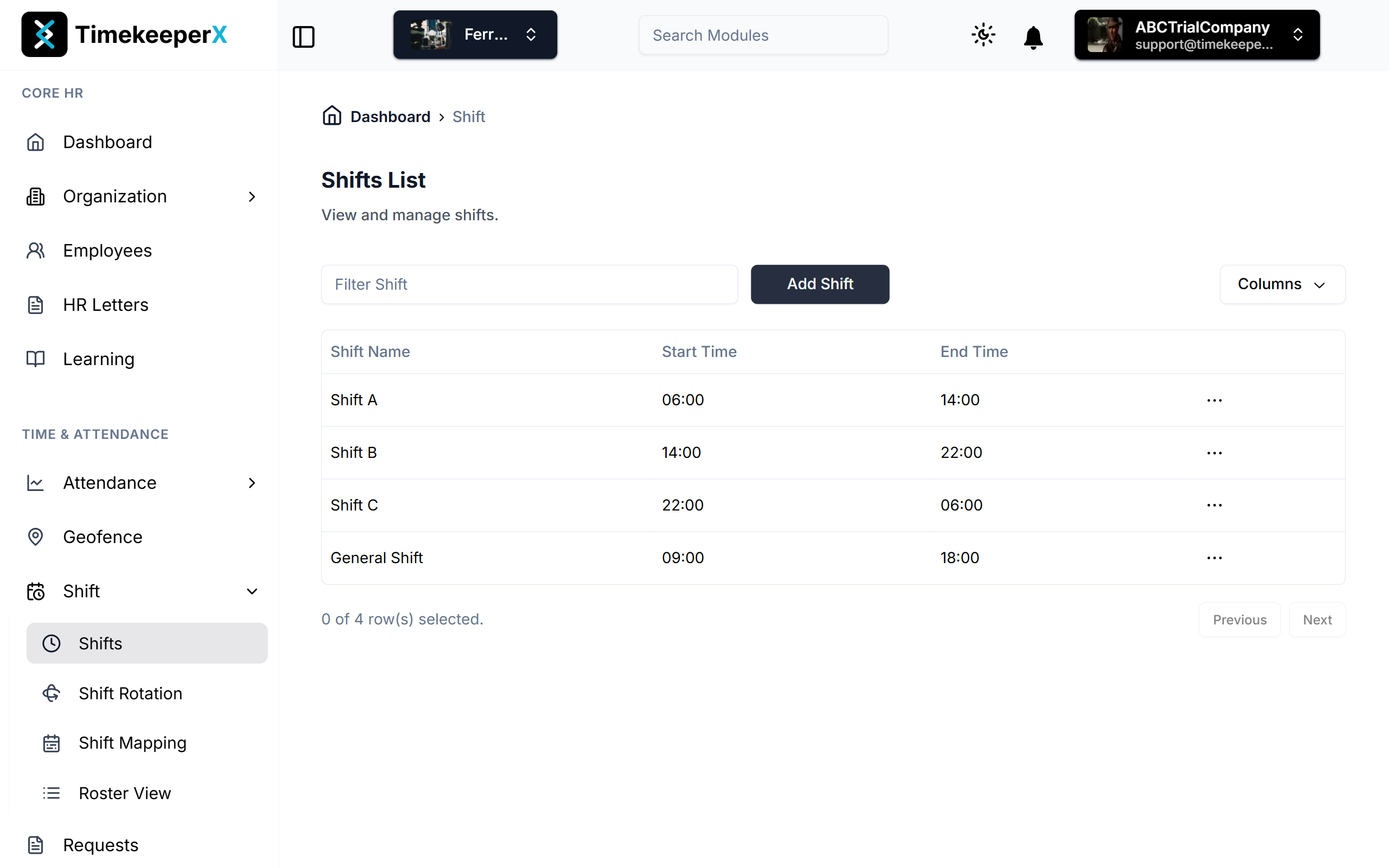
1. Defining the Core: Shift Configuration Framework
At the most granular level, the system defines a Shift not just as a time block, but as a set of compliance rules that govern employee movement and attendance validity.
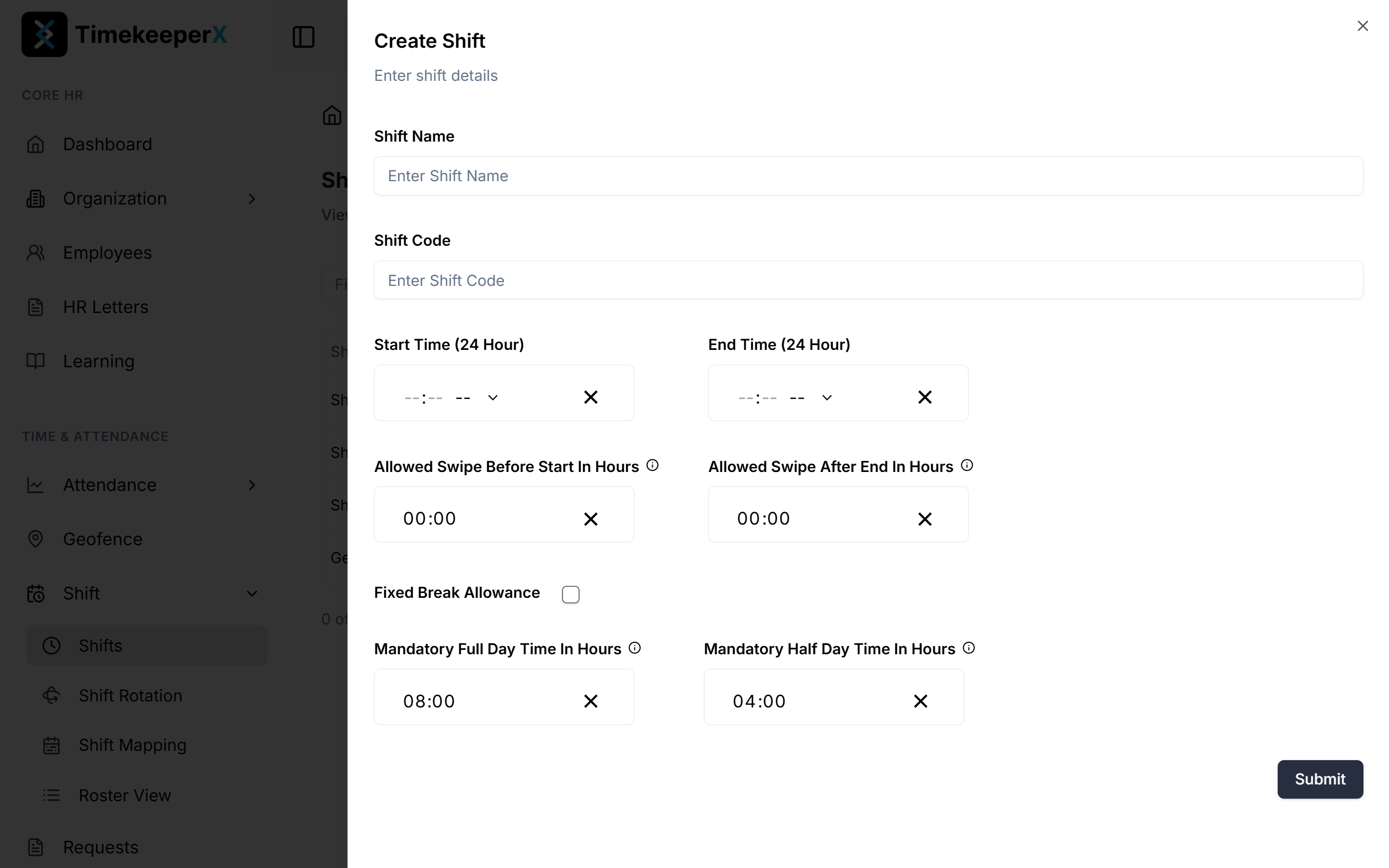
- Primary Temporal Bounds: Every shift is anchored by a 24-hour Start Time and End Time, providing a clear window for operations.
- Buffer and Grace Periods: To account for real-world movement, the algorithm includes "Allowed Swipe Before Start" and "Allowed Swipe After End" parameters. This ensures that minor early arrivals or late departures do not trigger false exceptions or unnecessary alerts.
- The Attendance Threshold:
- Mandatory Full Day: The exact duration (e.g., 08:00 hours) required for a complete attendance credit.
- Mandatory Half Day: The minimum floor (e.g., 04:00 hours) required to prevent an "Absent" status.
- Break Logic: A "Fixed Break Allowance" toggle allows the engine to automatically deduct or account for non-working intervals within the total shift duration, ensuring net working hours are calculated accurately.
2. Structural Patterns: Shift Rotation & Rest Day Management
To scale shift definitions across weeks or months, the system employs Shift Rotations. This layer introduces the variable of "Patterned Time," allowing for complex scheduling needs.
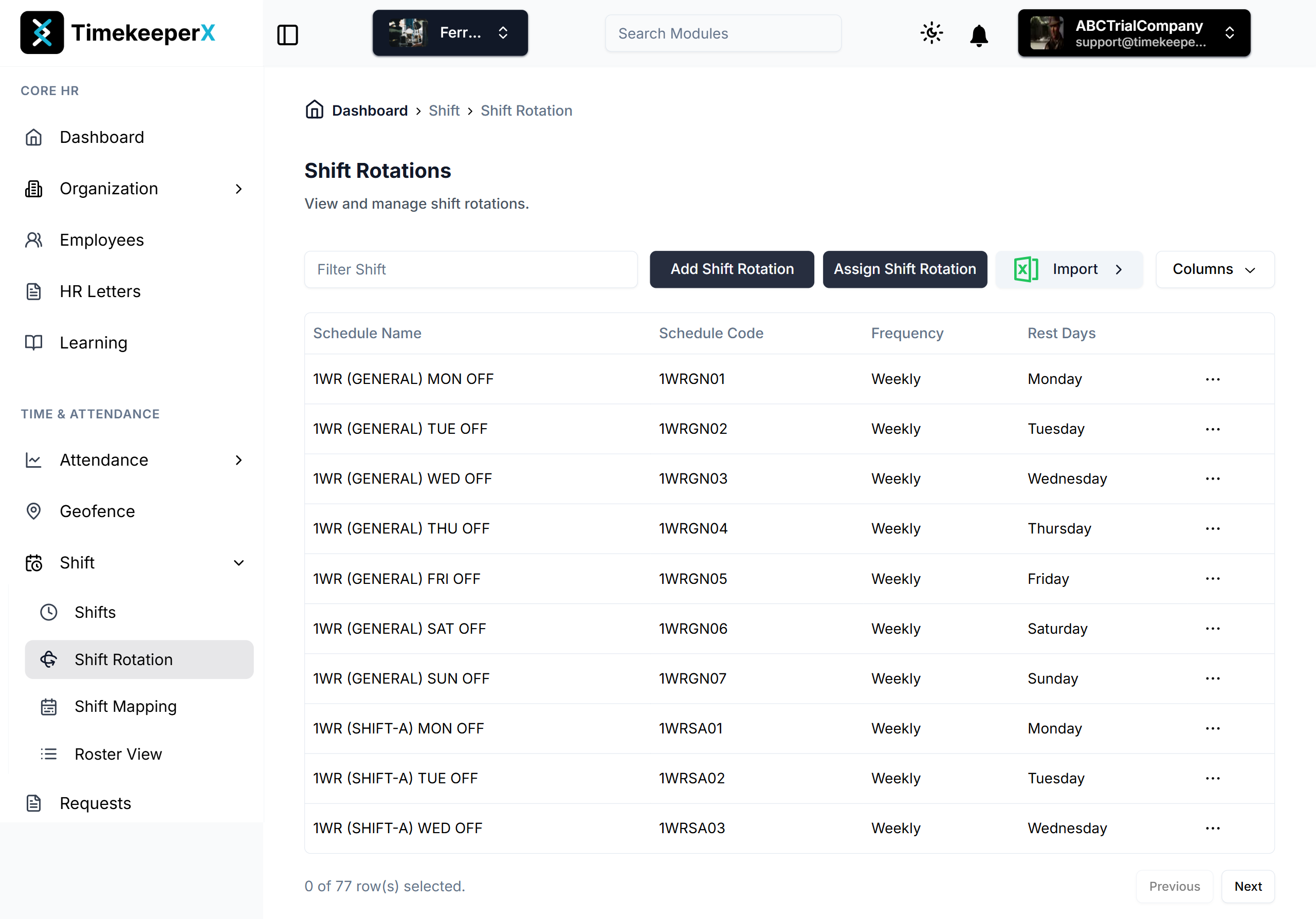
- Frequency Modulation: Schedules can be set to Weekly, Monthly, or custom intervals (e.g., three-day cycles), allowing for high-flexibility industries like manufacturing or healthcare.
- Rest Day Matrices: The rotation engine allows administrators to define rest days with surgical precision. It supports "Full Day" or "Half Day" off statuses across different weeks of the month (e.g., 1st Sunday vs. All Sundays).
- Shift Sequencing: Users can stack multiple shift types within a single rotation to handle complex transitions like day-to-night handovers smoothly.
3. The Assignment Hierarchy (Targeting & Eligibility)
The Assign Shift Rotation module acts as the bridge between theoretical schedules and the actual workforce. It ensures the right people are scheduled at the right time.
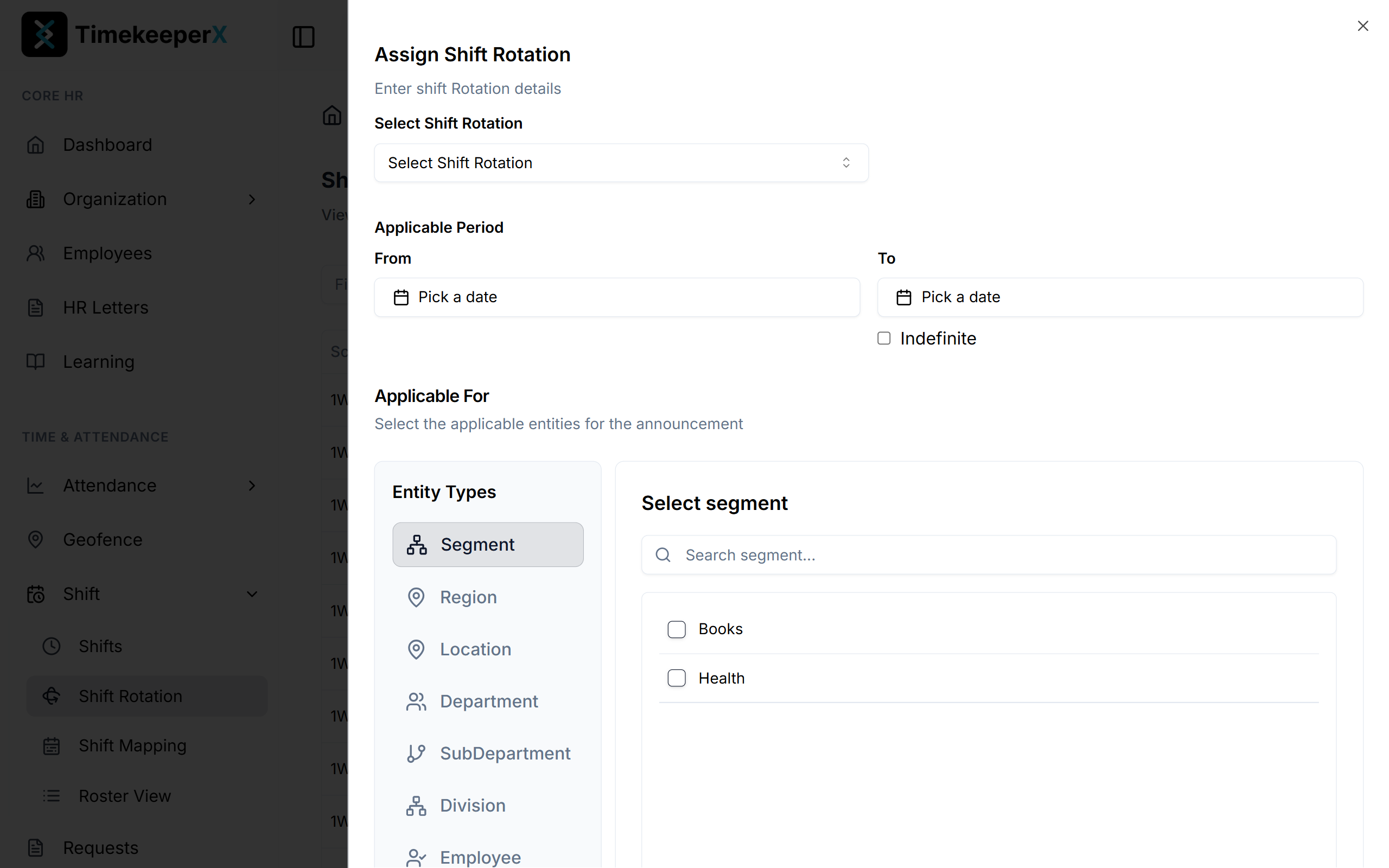
- Entity-Based Filtering: Assignments can be pushed through an organizational tree including Segments, Regions, Locations, Departments, Sub-Departments, Divisions, and Individual Employees. This granular control allows for localized scheduling rules.
- Validity Periods: Every assignment is date-bound with a "From" and "To" period, supporting the "Indefinite" flag for long-term operational stability while allowing for temporary project-based shifts.
4. Visual Output: Mapping and Roster Intelligence
The final phase of the algorithm is the generation of the Roster View—the operational truth for HR managers and department heads.
Automated Mapping: By cross-referencing the Rotation Patterns with the Employee Hierarchy, the system populates a visual calendar that is easy to read and manage.
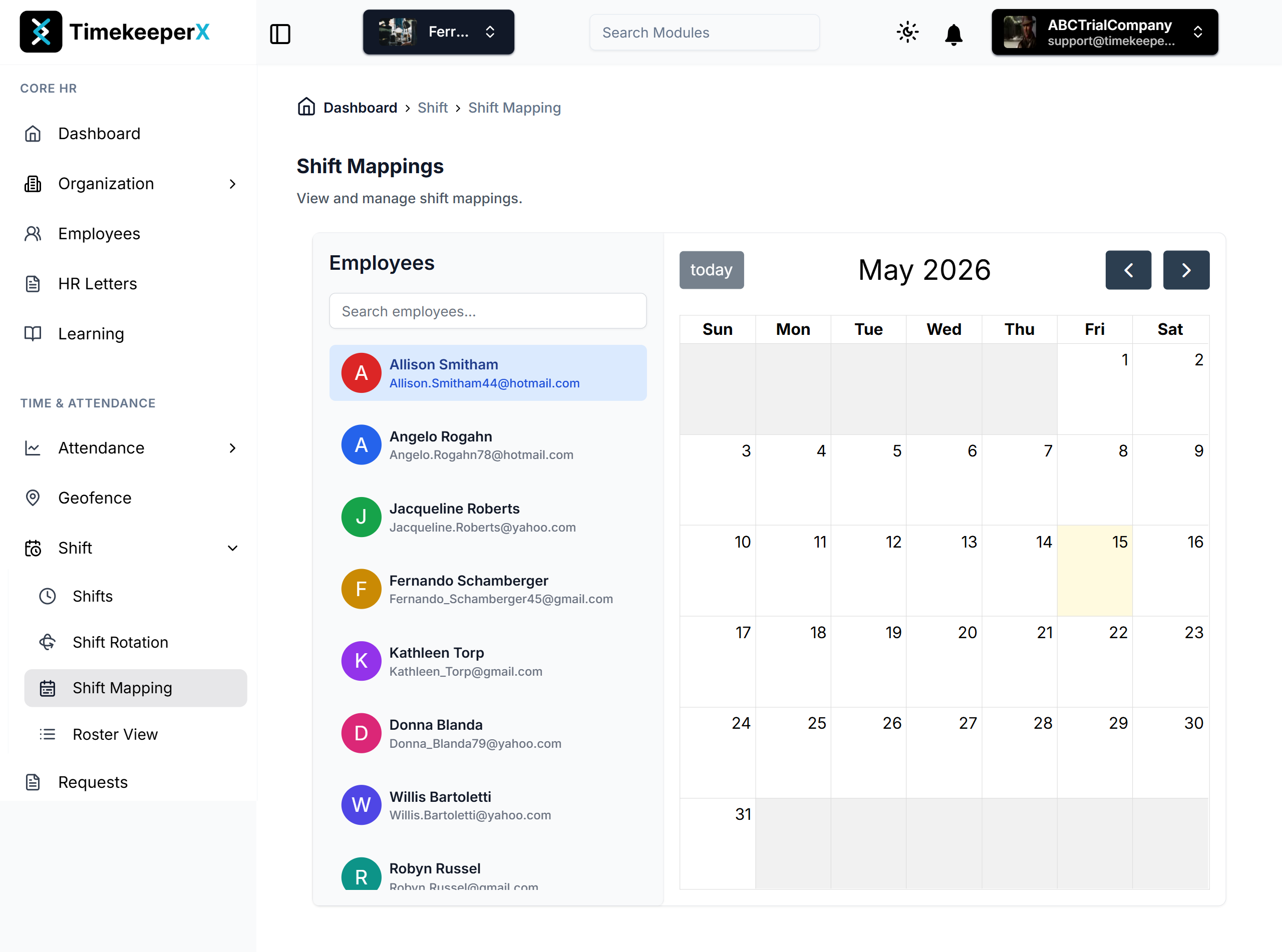
State Detection & Roster View:
The final output is a comprehensive Roster View that displays the operational truth for the entire department.
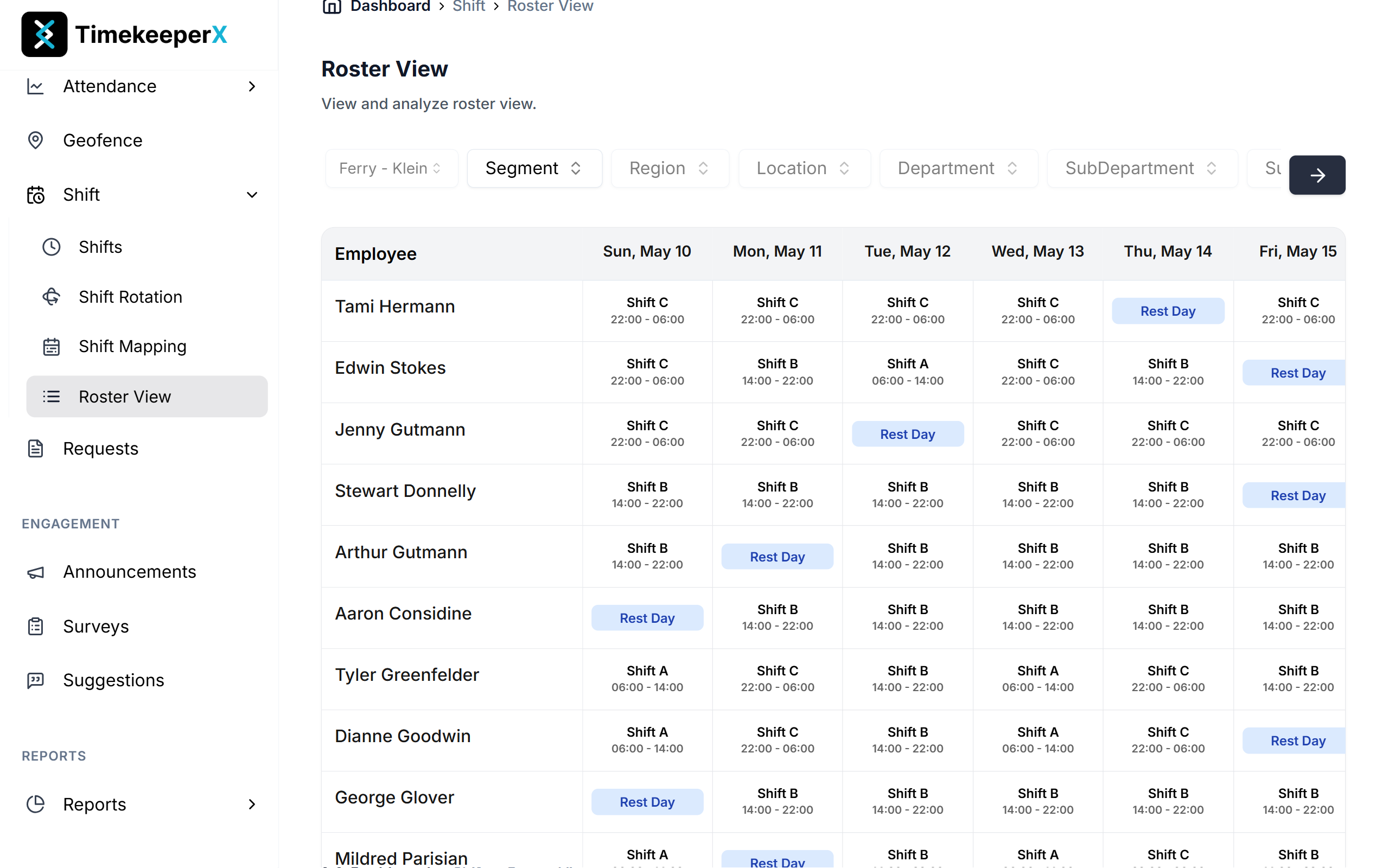
- Active Shift: Displays the shift code and time (e.g., "Aum Shift | 09:00 - 17:00") for clear visibility.
- Rest Day: Visual markers for scheduled downtime, helping managers see team availability at a glance.
- Gap Identification: "No Shift Assigned" status alerts managers to lapses in schedule coverage, preventing compliance risks and operational bottlenecks.
With TimekeeperX, shift management moves from a manual headache to an automated strategic asset, ensuring your workforce is always aligned with your operational goals.